
Yard Mastery: Lawn Care App
Yard Mastery, Inc.House & Home
4.5456.00 Reviews
- Version
- 4.00.05
- Installs
- 100.00K
- Age Rating
- Everyone
Screenshots
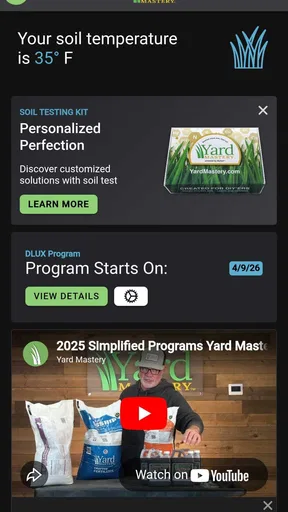
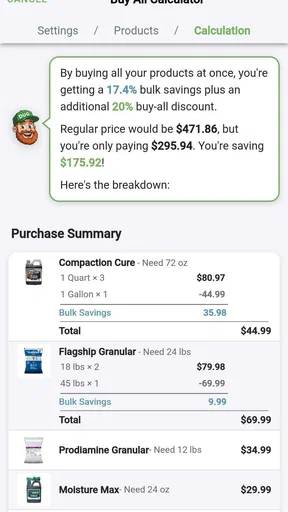
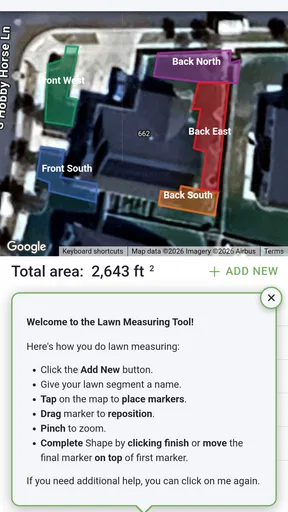
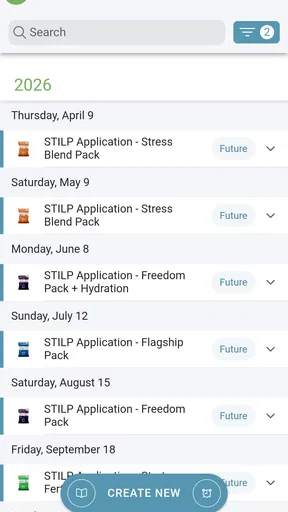
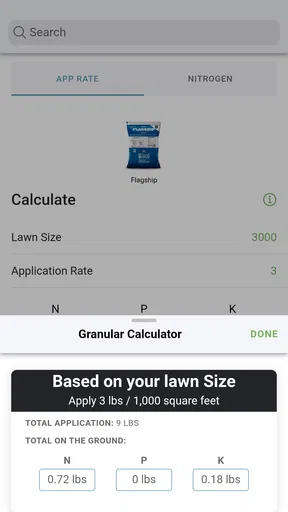
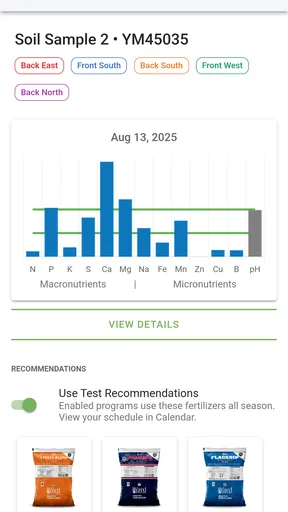
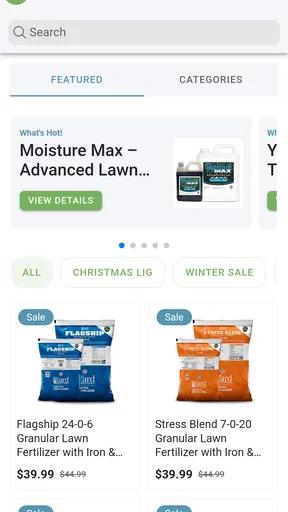
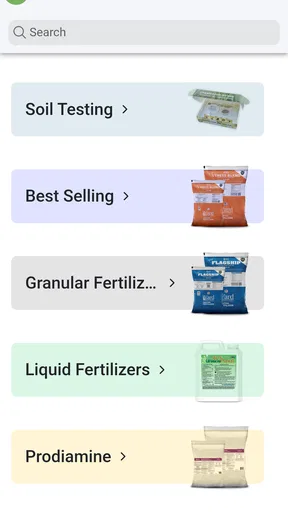
Our Review of Yard Mastery: Lawn Care App
 Analysis by Appyee
I like lawn-care apps when they do more than remind me to cut the grass. The useful ones help turn a vague seasonal chore into a sequence of decisions: what the lawn needs, when to apply it, and how to keep track of what I already did. Yard Mastery: Lawn Care App takes that practical approach. Developed by Yard Mastery, Inc., it is a free House & Home app built around personalized scheduling, soil testing, and fertilizer tracking for people who prefer to manage their own yard.
After spending time with it, my view is straightforward: this is most valuable as a lawn-care planning notebook with guidance attached, not as a magic diagnosis tool. It can make a DIY routine much easier to follow, especially when you tend to forget which treatment was used or when the next one is due. At the same time, it asks you to provide useful information and make sensible observations. If you want a completely automatic answer with no learning curve, this probably will not feel effortless.
What the app does well in everyday lawn care
The first thing I noticed is that the app is organized around an ongoing routine rather than a single purchase or isolated tip. That matters because lawn care is rarely solved in one visit to a store. A yard changes with weather, grass type, soil condition, mowing habits, and the timing of previous applications. A schedule that remembers the broader sequence is more useful than a generic reminder that says only “fertilize today.”
The personalized schedule is the central reason I would install it. Instead of relying entirely on memory or a paper calendar, I can use the app to structure the season around my own lawn. That makes it easier to separate preparation, treatment, observation, and follow-up. I especially appreciate this approach for people who are trying to become more consistent. Many lawn problems come from irregular care rather than a total lack of effort, and a visible plan can reduce that inconsistency.
The schedule also changes how I think about timing. When I use a normal calendar, every task looks equally important and disconnected from the condition of the yard. A lawn-focused plan gives the work some context. I can look at what I have already recorded, consider how the grass is responding, and avoid treating every disappointing patch as a reason to add another product immediately. That restraint is one of the app’s quieter benefits.
Soil testing is another strong part of the concept. Testing gives a better starting point than guessing from color alone, and the app gives that information a place in the wider care routine. I would not treat a soil result as a complete prescription for every problem, but it can help prevent random fertilizer choices. For a homeowner who has repeatedly bought products without knowing what the soil actually needs, this is a more disciplined workflow.
The fertilizer tracking is particularly useful in a household where lawn tasks are shared. If one person applies a product and another person handles the next weekend’s maintenance, a record can prevent accidental duplication. I can also see its value when a lawn improvement takes time. Instead of wondering whether a treatment helped, I can look back at what was used and roughly connect later observations to earlier actions.
A practical routine might look like this: I notice thin growth in one area, record the condition rather than immediately applying several products, arrange a soil test, and then use the result to inform the next step. After applying a chosen fertilizer, I mark it in the tracking history and return to the schedule instead of starting over. That process does not remove judgment, but it makes the judgment easier to review.
This is where the app feels different from the usual alternatives. A basic notes app can record that fertilizer was used, but it does not give the note a lawn-specific structure. A phone calendar can create reminders, but it usually knows nothing about soil testing or the relationship between treatments. A spreadsheet offers flexibility, yet it requires me to design the system myself. Yard Mastery sits between those options: more focused than general tools and less demanding than building a custom tracker.
That middle position is its biggest strength. I do not need to invent columns for product, timing, and follow-up before I can begin. The app gives the lawn-care task a home, which is helpful when I want organization without turning yard maintenance into a serious data project.
A better workflow than guessing from appearance
One non-obvious advantage is that the app encourages a pause between noticing a symptom and choosing a treatment. A yellow area, sparse growth, or uneven color can have several possible causes. If I jump straight to fertilizer, I may waste money or make the imbalance worse. Using the schedule, soil-testing information, and treatment history together encourages a more careful sequence: observe, investigate, act, and then watch for change.
I would also use the tracking history as a seasonal reference rather than just a record of the latest application. The useful question is not merely “what did I apply?” but “what pattern keeps appearing?” If the same section struggles after repeated attention, the history may point me toward a deeper issue instead of another quick fix. That makes the app more valuable over time than it is during the first setup.
Another practical tip is to record actions as soon as they happen. Waiting until the end of the weekend makes it easy to confuse one product with another or forget which section was treated. The app’s tracking purpose works best when I treat it like a field log: brief, timely, and specific enough to be useful later. This is a small habit, but it determines whether the history becomes a helpful tool or an incomplete list.
Where the experience requires patience
The main weakness is that personalization depends on the quality of the information I provide. The app can organize a plan, but it cannot physically inspect the lawn for me. I still need to understand what I am seeing, collect meaningful soil information, and recognize when a problem may involve watering, pests, disease, shade, compaction, or mowing technique rather than nutrition.
That creates a learning curve for complete beginners. Someone who has never identified their grass type or thought about soil condition may not immediately know what to enter or how much confidence to place in a recommendation. The app can support the process, but it should not be mistaken for a substitute for local knowledge or professional diagnosis in difficult cases.
I also think the schedule can tempt users into following dates too rigidly. Lawn work is affected by conditions on the ground, and a reminder is not automatically the right moment to act. If the soil is unsuitable, the weather is unhelpful, or the grass is under stress, I would use the plan as a prompt to evaluate the situation rather than as an unquestionable command. The best results come from combining the app’s structure with common sense.
There is a second kind of friction: tracking only helps when I keep it current. If I skip entries, forget which area received treatment, or record a product without enough detail to recognize it later, the history loses much of its value. This is not a flaw unique to this app, but it is important here because record keeping is one of the main reasons to use it instead of a simple lawn-care article.
Compared with a general calendar, Yard Mastery is more specialized but less open-ended. A calendar is better when I want to combine lawn tasks with household events, contractor visits, irrigation maintenance, and other reminders in one place. Compared with a paper notebook, the app is easier to search and more connected to a structured schedule, while the notebook may feel faster for someone who dislikes entering information on a phone. Compared with advice from a local garden center, the app is more convenient for repeated tracking but less personal and less able to respond to unusual local conditions.
That trade-off is worth understanding before downloading it. I would choose this app over a generic reminder tool when I want lawn-specific organization. I would choose a local expert or a more specialized diagnostic service when the yard has a persistent disease, serious pest damage, drainage problem, or a condition I cannot identify with confidence. The app is strongest in the space between casual guessing and professional intervention.
Who will get the most from it
I think Yard Mastery is a good fit for a homeowner who wants to do the work personally but needs structure. It suits someone who buys fertilizer occasionally, loses track of application dates, or wants to understand whether a treatment is helping. It is also useful for a person starting a lawn-care routine from scratch, because the schedule can provide an organized path instead of a pile of disconnected instructions.
It may be especially helpful for people managing a larger yard with different conditions. Even without treating every section identically, a record can help separate observations and avoid assuming that one solution belongs everywhere. A shaded strip, a high-traffic area, and an open sunny section may behave differently, and a thoughtful tracking habit makes those differences easier to notice.
I would also recommend it to couples, families, or roommates who share outdoor chores. A written record reduces the “I thought you already did that” problem. One person can see what has been completed, while the other can continue the routine without repeating work. That is a simple use case, but it is exactly the kind of everyday friction a focused app can remove.
On the other hand, I would not make it my first choice for someone who hires a lawn service and has no interest in learning about treatments. It is also not ideal for a user who wants a one-tap diagnosis from a photograph or an entirely hands-off maintenance system. Likewise, if I only need an occasional reminder to mow, a standard calendar is probably quicker and less involved.
The app is free, which lowers the barrier to trying this workflow. It is marked for Everyone, so its presentation is suitable for a broad audience rather than being aimed at a narrow professional group. It runs on Android versions beginning with 7.0, and the current version is 4.00.05. Those details make it accessible to many existing Android users, although the actual usefulness still depends more on willingness to maintain the records than on the installation itself.
Its audience size suggests that this is not an obscure experiment: it has passed one hundred thousand installs and holds a 4.5 average from around two thousand three hundred ratings. I treat those figures as a sign that the basic idea resonates with DIY lawn owners, not as proof that every yard will receive perfect guidance. The experience remains dependent on setup, accurate observations, and sensible decisions.
How I would set it up for useful results
I would begin by treating the first session as an information-gathering step, not a race to apply something. I would identify the areas I care about most, note visible differences, and prepare to connect soil testing with the schedule. If I already have fertilizer containers or receipts, I would keep them nearby so the tracking record reflects what was actually used rather than what I think I used.
Next, I would avoid trying to solve every lawn issue at once. A cleaner record comes from changing one major variable at a time when possible. If I apply several products together, any improvement or setback becomes harder to interpret. The app’s value increases when the history can tell a clear story, so I would use it to support measured experiments rather than a frantic rescue plan.
I would also review the schedule before the weekend instead of opening it only when I am standing beside the lawn. That gives me time to check supplies, consider conditions, and decide whether a planned task still makes sense. A few minutes of preparation can prevent an unnecessary application or a rushed entry that later becomes impossible to understand.
Finally, I would revisit the tracking history at the end of a season. The point is not to create a perfect archive. The point is to learn which parts of the routine were realistic, which areas responded, and where the next season should begin. That longer view is something a simple reminder app rarely provides without considerable manual work.
My final recommendation
Yard Mastery: Lawn Care App succeeds because it treats lawn maintenance as a continuing process. Its combination of a personalized schedule, soil-testing support, and fertilizer tracking gives DIY homeowners a more reliable way to plan and remember their work. I found the strongest benefit in the connection between those parts: testing informs decisions, tracking preserves context, and scheduling keeps the routine moving.
The limitation is equally clear. This is not a replacement for observation, local conditions, or expert help when a problem is complicated. It can organize my decisions, but it cannot guarantee that my diagnosis is correct or that every scheduled action is appropriate in every situation. Users who expect automatic answers may find that responsibility frustrating.
For me, the verdict is positive with a specific qualification: use it as a disciplined lawn-care log and planning companion, not as an authority that removes the need to think. If you want to manage your own yard, are willing to record what you do, and want something more focused than a calendar or notes app, I would recommend giving it a try. If your needs are limited to occasional mowing reminders or professional maintenance already handles the decisions, a simpler option will probably suit you better.
As a free Android app from Yard Mastery, Inc., it offers a practical starting point for turning scattered lawn chores into a repeatable routine. Its real payoff comes gradually, when the schedule and history begin helping me make fewer guesses and better follow-up decisions. That makes it a useful choice for patient DIY gardeners, even if it is not the effortless lawn expert some users may initially expect.
Verdict
Strengths of Yard Mastery: Lawn Care App
- Seasonal reminders help keep lawn tasks organized throughout the year.
- Useful product guidance simplifies choosing treatments for common lawn needs.
- Supports multiple lawn areas for managing different yards or sections.
- Clear instructions can help beginners follow a consistent care routine.
- Works well as a quick reference when planning fertilizing and weed control.
Limitations of Yard Mastery: Lawn Care App
- Some recommendations may be tailored mainly to U.S. lawns and products.
- Advanced lawn analysis may require additional knowledge or testing.
- Treatment schedules can feel overwhelming for users with very small yards.
- Certain product suggestions may not be available in every region.
- The app cannot replace professional advice for serious turf diseases or damage.
Similar Picks in This Category
View All
Universal TV Remote Control
CodeMatics Media Solutions3.9

AlfredCamera Home Security app
Alfred Systems Inc.4.7

Planner 5D: AI Home Design
Planner 5D4.5

Universal Tv Remote-Cast to TV
One Music Player4.1

Zillow: Homes for Sale & Rent
Zillow Group4.8

99acres Buy/Rent/Sell Property
infoedge.com4.3
Frequently Asked Questions
What is Yard Mastery: Lawn Care App, and who is it designed for?
Yard Mastery: Lawn Care App is designed to help homeowners plan and improve their lawn-care routine. It provides guidance related to mowing, fertilizing, weed control, soil improvement, and seasonal maintenance. The app is especially useful for beginners who want a structured approach, although experienced lawn enthusiasts may also appreciate its product information, educational content, and practical recommendations.
Does Yard Mastery provide personalized lawn-care plans?
The app can help users organize lawn maintenance according to factors such as grass type, region, season, and current lawn conditions. However, the quality of the recommendations depends on the information entered and how accurately users identify their lawn. It should be treated as a helpful planning and education tool rather than a guaranteed diagnosis, particularly when dealing with serious disease, pest problems, or unusual soil conditions.
Can I use the app for different grass types and climates?
Yard Mastery is intended to support lawn care across different regions, but lawn requirements vary considerably depending on grass species, climate, soil, rainfall, and local regulations. Users should confirm that the selected grass type and location are correct before following a treatment schedule. Advice that works well for cool-season grass may not be suitable for warm-season grass, so careful customization is important.
Does Yard Mastery include product recommendations or shopping features?
The app may present lawn-care products, application guidance, and recommendations connected with common maintenance tasks. These features can make it easier to understand what type of fertilizer, seed, or treatment may be appropriate, but users should still read product labels and follow local instructions. Product availability, pricing, and shipping options can vary, so the app should not be considered a replacement for independent comparison.
Is Yard Mastery: Lawn Care App free to download and use?
The availability of free and paid features can depend on the current version of the app, platform, location, and any active subscription or in-app purchase options. Before downloading or starting a plan, users should review the listing details and subscription terms carefully. Also check whether reminders, advanced recommendations, educational content, or shopping-related features require payment beyond the basic installation.
